

Planning, assessment and school records in one place.
Plan, teach, assess and run the school in one place. Peach does the repetitive work and turns the school's own records into next steps.
Connected workspaces for your teachers, coordinators and school office.
Change the next lesson when the marks come in.
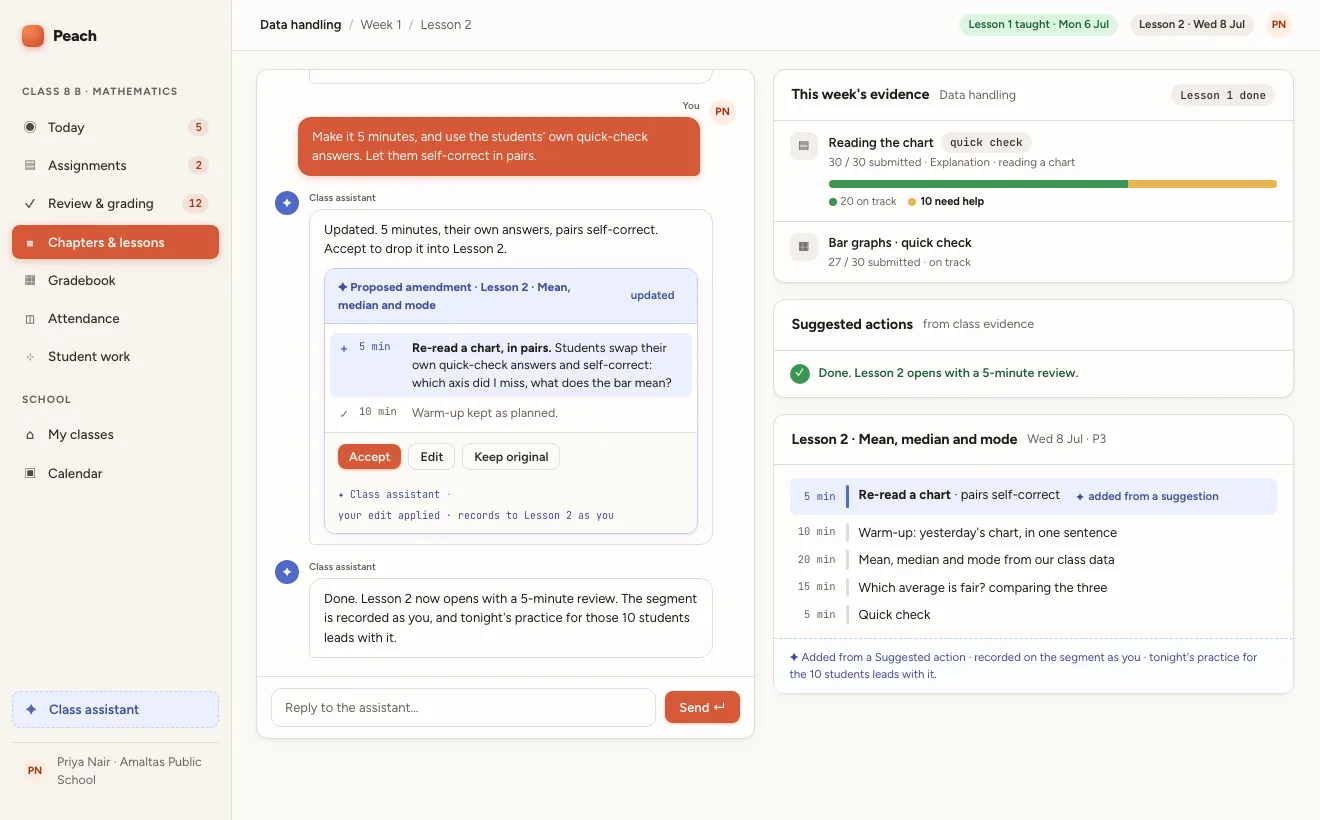
Every workspace uses the same school record.
47 features across 8 areas. All included.
Plan lessons using your school templates and classwork.
Turn the curriculum and what the class needs into work you can edit and set.
Review suggested marks and feedback against your marking criteria.
Move from a pile of submissions to feedback ready for review.
Review student understanding alongside the work behind each mark.
Find patterns across students, classes and time.
Give students support with the topic their class is studying.
Give students help that begins where the lesson left off.
Keep attendance, class lists and reports together.
Attendance, timetables, rosters, reports and school setup.
Prepare staff tasks using the relevant class records.
Prepare routine work for your staff to review.
Keep school messages connected to the students they concern.
Communication, safeguarding and permissions in one place.
Educators use Peach at Woodstock School and Simple Education Foundation. Read what they say.
See how Peach would work in your school.
Set up your classes, import your people, and run one section on it this term.
Prefer email? kanishk@peach.study